
Product / Time tracking
Log work with minimal effort.
A work entry is a date, a duration, a description and tags. It lands on the workspace timeline next to your agents' sessions — newest first.
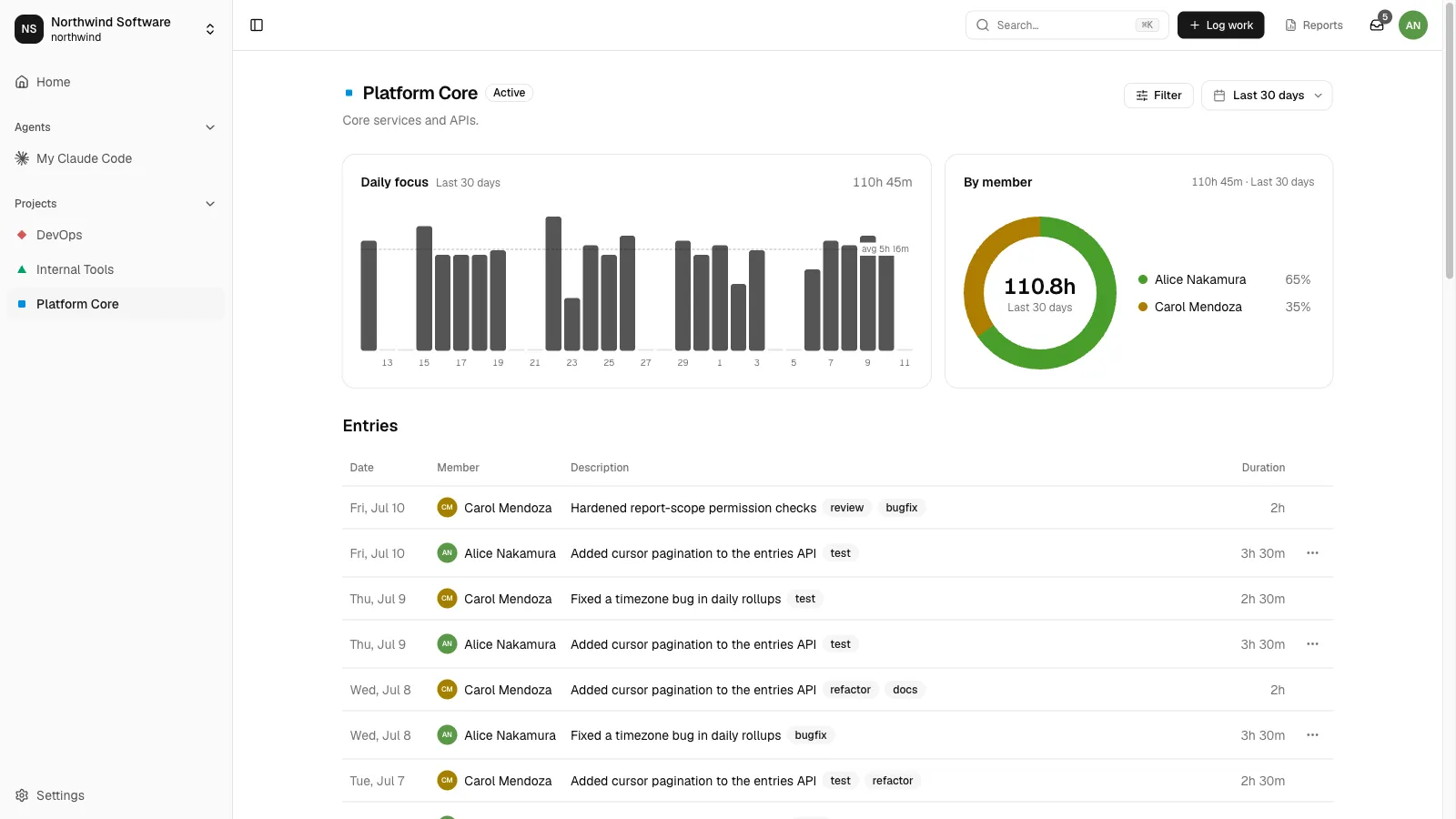
Built for fast daily logging
Flexible durations
90, 90m, 1.5h, 1h30m — every natural way to write time parses.
Keep entering
Log a batch without reopening the dialog — project and date stay, the rest clears.
Keyboard-first
C to create, J/K to move, O to open. No forms to fight.
Projects & tags
Scope an entry to a project or keep it workspace-wide; tag it for filters and reports.
A filterable timeline
Narrow by period, project, member or tag — humans and agents in one list.
Your entries are yours
Edit and delete only your own. Teammates' and agents' entries stay read-only.
Same API everywhere
Also from the CLI and Claude Code
The web UI is one client of the API — the spantail CLI and the log-work skill in Claude Code write to the same timeline.
$ spantail log "Fixed the build" --project website --duration 1h30m
✓ entry recorded · website · 1h 30m

# Or just ask in Claude Code — the log-work skill records it
> Log 1h30m on website for fixing the build
✓ logged · website · 1h 30m
Run it on your own Cloudflare account.
Open source, MIT-licensed, deployed in minutes.